
Cybersecurity for Small Businesses: Complete Guide 2026
Running a small business has always been a juggling act. You wear ten different hats, answer emails at midnight, and sometimes the coffee machine is your most reliable employee. In 2026, there is a new item on that endless to-do list that you cannot afford to push aside: cybersecurity. And no, it is not just a problem for big banks or tech giants anymore. The truth is, hackers have realized that small businesses are the sweet spot. You have enough data to be valuable, but often not enough budget for a full-time security team. That combination makes you a target. This guide is not about scaring you into paralysis. It is about giving you a clear, realistic path to protect what you have built, written in a way that actually makes sense.
Why Small Businesses Can’t Ignore Cybersecurity in 2026
A few years ago, a small bakery might have thought, “Who would want to hack us? We just sell cookies.” In 2026, that kind of thinking is dangerous. Your little shop has an online ordering system, a customer email list, and probably stores credit card numbers. Your little architecture firm has confidential client blueprints. Your little dental practice holds medical records. All of it can be sold, held for ransom, or used to break into someone else’s network. The scary part is that the attacks have become automated. Hackers do not need to single you out personally. They unleash bots that scan the entire internet looking for a weak door, and if your digital lock is flimsy, they walk right in. It is not personal. It is just business, and a very profitable one at that.
The Real Cost of a Cyber Attack for a Small Business
Numbers on a report never hit as hard as a story about a real shop that had to close its doors. But those numbers tell a harsh truth. Many small businesses simply do not survive a serious data breach. You might think you will just fix the virus and move on, but the hidden costs pile up quickly.
Financial Losses That Can Shut You Down
It starts with the money that vanishes immediately. Maybe a fraudulent wire transfer tricks your bookkeeper because an email looked like it came from you. Or ransomware locks every file and the criminals demand a payment in cryptocurrency. Even if you refuse to pay, you still have to hire a forensic expert to clean your systems, buy new hardware, and lose days or weeks of productivity. One common attack, called business email compromise, cost small firms billions of dollars last year alone. On top of that, you might face fines if customer data leaked and you were not following privacy regulations. The final bill can look like six months of profit disappearing overnight.
Reputation Damage That’s Hard to Repair
Money can be earned back, but trust is a fragile thing. If your customers get a letter saying their personal details were exposed because of your system, a lot of them will not come back. They will think, “If they cannot protect my data, I’ll go to the bigger chain down the street.” That feeling is not logical; it is emotional. Rebuilding that local reputation might take years, and honestly, some businesses never manage it. The worst part is that news travels fast in a small community, whether that community is a physical town or a tight-knit online niche. You become the cautionary tale, and that is a label nobody wants.
Common Cyber Threats Small Businesses Will Face in 2026
The threat landscape keeps shifting, and it pays to know what is actually out there right now. The boogeyman in 2026 looks a bit different from the old days of obvious spam emails.
AI-Powered Phishing Scams
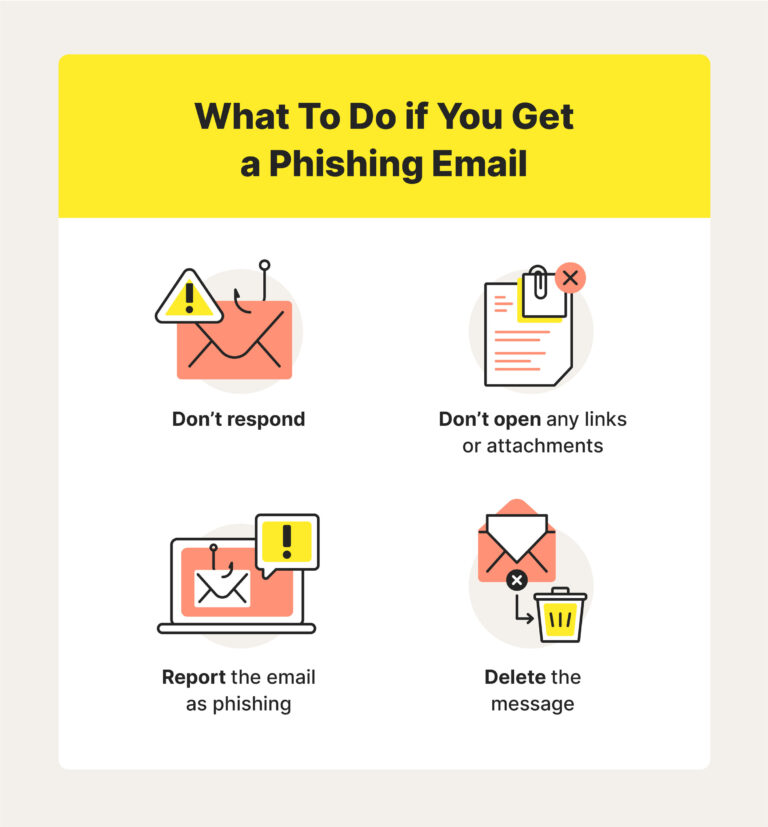
Phishing emails used to be easy to spot. You would see a weird email from a prince, full of spelling mistakes. That era is gone. Today’s criminals use generative artificial intelligence to write perfect, personalized messages in flawless English, or whatever language you speak. They scrape your LinkedIn, your company’s Facebook page, and your website to craft a message that mentions your colleague by name and references a real project. The email might look like an invoice from a vendor you actually use, with the logo and everything. For a busy small business owner, opening that attachment feels like a natural reflex, and that is exactly the trap.
Ransomware Targeting the Little Guy
Big ransomware gangs made headlines by hitting hospitals and pipelines, but a quiet shift has happened. Many of them now operate “ransomware-as-a-service,” where they sell their malicious software to smaller crooks who focus on easier targets. These affiliates comb through lists of small businesses because your defenses are often lower and the extortion amount, say two or three thousand dollars, is something you might pay to avoid the headache. The software does not just lock files anymore either. It often steals them first and threatens to leak them publicly, doubling the pressure on you to pay up.
Supply Chain Attacks – You’re a Weak Link
You might be doing everything right, but what about your point-of-sale provider or your cloud accounting software? Cybercriminals increasingly break into one trusted software company and push a malicious update to all its clients. Suddenly you are infected and you didn’t click on anything. For a small business, this is a nightmare because you are entirely dependent on a vendor’s security. It means you need to choose your technology partners not just on price, but on their security track record. You have to ask them uncomfortable questions before signing a contract.
Insider Threats: Not Just Malicious, Often Accidental
The term “insider threat” sounds like a spy movie, but it is often just Dave from accounting having a really bad day. An employee might accidentally share a confidential file with the wrong person or click a link they shouldn’t. Sometimes a former staff member still has access to your systems because nobody remembered to turn off their account. These little slip-ups are responsible for a huge chunk of security incidents, yet they rarely get the attention that dark hooded hackers do. The good news is that these are often the easiest to fix with some simple housekeeping.
Building Your First Line of Defense: Essential Practices
All of this might feel overwhelming, like you need to become a tech wizard overnight. You do not. There is a small set of basic habits that stop the vast majority of attacks. These are not expensive, but they do require consistency.
Strong Passwords and a Password Manager (No More Sticky Notes)
If your password is still “Bakery123” or your dog’s name, it is time for a change. The single best thing you can do is use a password manager. It is an app that remembers long, random, unique passwords for every single account. You just need to remember one master password. No more reusing the same password everywhere, which is a disaster because if one website gets breached, the hackers try that same login on your email, your bank, and your social media. A password manager takes that whole worry off your plate, and you can even securely share the login for the business Instagram with your marketing person without them ever seeing the actual password.
Multi-Factor Authentication: The Simple Step Most Skip
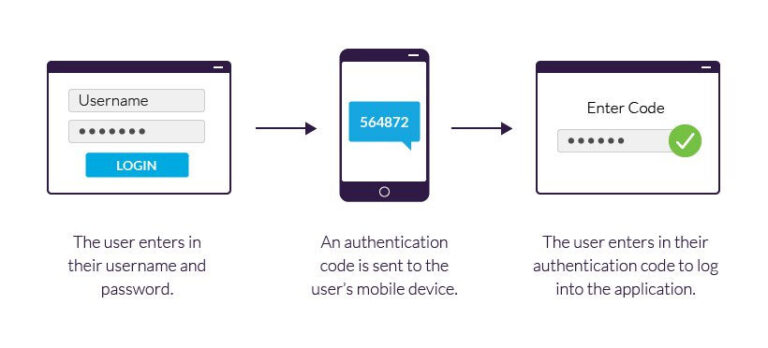
You have seen this before: it is that extra step after entering your password where a code is sent to your phone. It is called multi-factor authentication, or MFA. And it is wildly effective. Even if a criminal steals your password, they still cannot get in without that unique code from your device. Turn it on for your email, your financial accounts, your cloud storage, and anywhere else that holds sensitive data. Yes, it adds three seconds to your login, but that tiny bit of friction blocks an enormous percentage of automated attacks. The slight inconvenience is the whole point; it is a speed bump that stops a thief who is in a hurry.
Keep Everything Updated – Seriously
That little pop-up window on your computer begging you to restart for an update? Stop ignoring it. Software updates are not just about getting new features. They patch known security holes that criminals are actively exploiting right that second. This applies to your computers, your phones, your router, your point-of-sale system, and even your smart coffee maker if it is on your office network. If you can, turn on automatic updates everywhere. The less you have to remember, the better.
Backups: Your Insurance Policy Against Ransomware
If a ransomware note appears on your screen tomorrow, the only surefire way to tell them “no thanks” is to have a clean backup of all your critical files. The key word here is “clean.” The backup cannot be permanently connected to your main network, or the ransomware will encrypt that too. Follow the 3-2-1 rule: keep at least three copies of your data, on two different types of media, with one copy stored offsite or in the cloud with an account that is separate from your day-to-day login. Test restoring a file once a month to make sure the backup actually works. A backup you cannot restore is just a false sense of security.
Creating a Cybersecurity Plan That Actually Works
Policies sound boring, but they are just a simple agreement on how your business handles digital danger. It does not need to be a 50-page document. It just needs to be real and practiced.
Assess Your Risks Without the Jargon
Sit down for an hour with a pen and paper. What is the one piece of data that would cripple your business if you lost it? For a law firm, it is client case files. For an online retailer, it is the customer database and inventory system. For a restaurant, it might be the point-of-sale terminal. List out where that data lives, who has access to it, and what would happen if it was deleted or stolen. That simple exercise points you directly to where your limited time and money should go first.
Write Down a Policy (Even a One-Pager Helps)
Once you know your priorities, write down the rules. Can employees access work email on their personal phones? What is the process for reporting a suspicious link they accidentally clicked? What is the rule on connecting to public Wi-Fi when working remotely? Put it in a simple shared document. When a new person joins, they read it and sign a short acknowledgment. This is not about policing people. It is about setting clear expectations so nobody is left guessing, and in a stressful moment, they know where to look.
Train Your Team: They’re Your Best Firewall
All the fancy software in the world gets beaten by a well-meaning employee who clicks the wrong link. So turn your team into a strength instead of a weakness. Once a quarter, spend fifteen minutes over coffee showing them a real example of a phishing email that targeted your industry. Show them how to hover over a link to see where it really leads. Make it okay for them to say, “I think I messed up and clicked something,” without fearing they will be fired. When people feel safe admitting mistakes, you catch breaches early, which makes all the difference.
Affordable Tools and Services for Small Business Cybersecurity
You do not need the budget of a large enterprise. A handful of well-chosen, affordable tools can cover the essentials without breaking the bank.
Endpoint Protection Suites for Tight Budgets
“Endpoint” just means the computers, phones, and servers you use. The old-style antivirus that slowed your machine down is mostly obsolete. Now you can get endpoint detection and response tools designed specifically for small teams. They look for suspicious behavior, not just known viruses, and they are often managed through a simple app on your phone. Prices have come way down, and many bundle in web filtering and basic firewall controls.
Email Filtering to Stop Phishing Before It Hits Inboxes
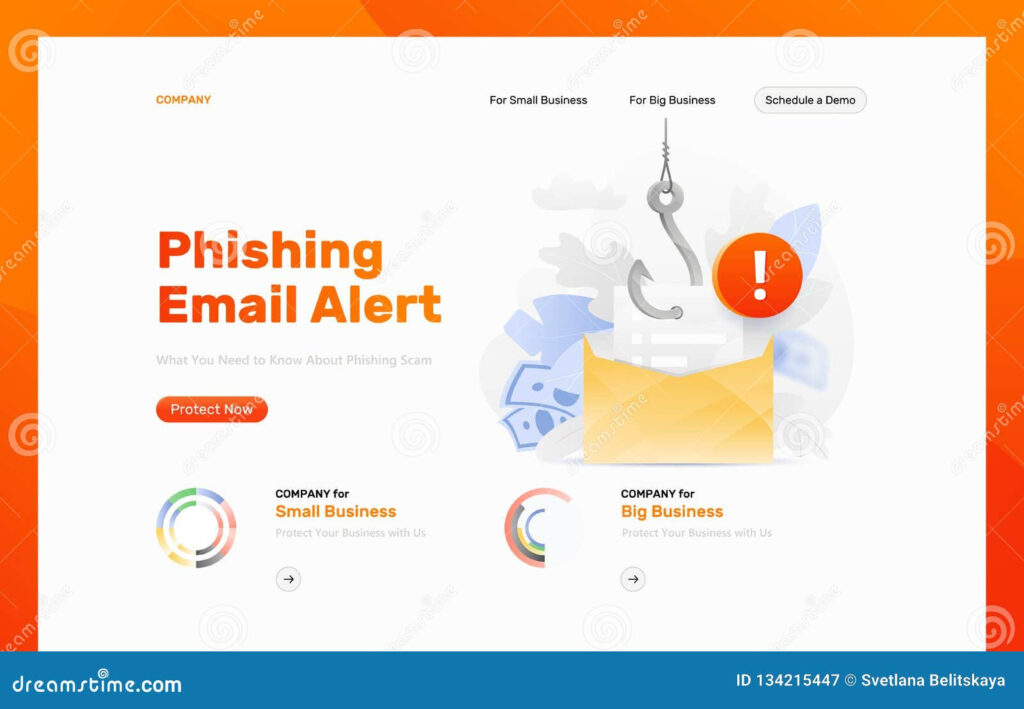
Since most attacks start in the inbox, a strong email filter is worth its weight in gold. Services like those built into Microsoft 365 or Google Workspace can catch a lot of malicious messages, but you might consider adding a dedicated layer on top. These advanced filters scan links, rewrite suspicious URLs, and use artificial intelligence to detect subtle impersonation attempts that basic filters miss. For a small monthly fee per mailbox, you spare your team the daily temptation to click on a very convincing fake invoice.
Managed Security Services: When You Can’t Do It Alone
If reading about cybersecurity makes your head spin, hire a slice of help. A managed security service provider, or MSSP, acts like your outsourced security team. They will monitor your network alerts, manage your patches, and be the ones who get called at 2 a.m. when something weird happens. You can often start with a limited package that fits your budget, focusing on the most critical monitoring. It is like having a security guard who doesn’t sleep, and you can finally take a full vacation knowing someone is watching the fort.
What to Do When You’ve Been Hacked (Incident Response 101)
Even with great defenses, a determined attacker might slip through. Having a mental checklist stops panic from making a bad situation much worse.
Don’t Panic – First Steps to Contain the Damage
The moment you notice something wrong, like files have weird file extensions or a system is acting sluggish with high network traffic, isolate the machine. Unplug the network cable or turn off the Wi-Fi. Do not turn the computer off, because valuable forensic evidence lives in its temporary memory. Then, immediately change the passwords for your critical accounts from a clean, uninfected device. Alert your team so they don’t open anything suspicious. Your goal in those first fifteen minutes is to stop the spread, not to figure out who did it.
Who to Call and What to Preserve for Forensics
Before an incident happens, save the phone number of a local cyber incident response firm or at least know the contact for your cyber insurance helpline. When you call, they will guide you on what evidence to collect, such as screenshots of the ransom note, log files, and a timeline of events. Do not try to hack back or delete the attacker’s tools. That can destroy evidence and even get you in legal trouble. Your job is to be a calm, careful witness and let the professionals do the technical cleanup.
Cyber Insurance in 2026: Do You Really Need It?
Cyber insurance has matured a lot, and for many small businesses, it is becoming as essential as general liability coverage. A good policy does not just reimburse you for losses. It provides a hotline to lawyers, crisis communicators, and forensic investigators who can step in immediately. The application process itself is useful because it forces you to check off basic security practices like MFA and backups, often lowering your premium. Just read the fine print carefully. Some policies won’t pay out if you ignored a fundamental security step, so get a broker who explains the exclusions in plain language.
The Human Side of Cybersecurity: Building a Security Culture
All the technology in the world falls flat if your people see security as an annoying chore. The shift happens when you connect it to the mission. You are not locking down their workstation to make their life harder; you are protecting their paychecks. A data breach at a tiny firm can mean layoffs. Frame it that way, not as a bunch of IT edicts. Celebrate people who spot and report phishing tests. Tell stories about other small businesses that bounced back because they had good backups. Make security feel like a shared team sport, not a punishment. When your staff feels proud of being the first line of defense, you have built something stronger than any firewall.
Conclusion
The digital threats facing small businesses in 2026 are very real, but the feeling of helplessness does not have to be your reality. Cybersecurity is not about achieving a state of perfect invincibility. That does not exist, not even for massive corporations with bottomless budgets. Instead, it is about making yourself a harder target than the next business on the hacker’s list. Most of the steps in this guide cost more in attention and habit than they do in hard cash. Start with the basics: get a password manager, turn on multi-factor authentication everywhere it is available, and set up an automated backup that you actually test. From there, build slowly, one conversation with your team at a time. You built your business by solving problems and caring about the details, and this is just one more vital detail to weave into your daily routine. The peace of mind you will earn is worth every bit of effort, because knowing you can survive a storm is what keeps a small business sailing for the long haul.