HIPAA Cybersecurity Requirements for Small Healthcare Practices
The Quiet Panic of a Small Practice Owner
You run a small dental office. Or a physical therapy clinic. Or a counseling practice with two therapists and a receptionist. Your days are full. Patients come and go. Insurance claims fly back and forth. The last thing on your mind is a federal regulation about data security.
Then your office manager opens an email that looks like it came from a medical device supplier. She clicks the attachment. An hour later, every patient file is locked with a ransom note. You cannot access appointments, treatment notes, billing records. And somewhere in the back of your mind, a small voice reminds you that HIPAA requires you to protect that data. The panic sets in not just because of the attack, but because you might have broken the law without ever realizing it.
HIPAA cybersecurity rules apply to even the smallest healthcare practices. A solo dentist with a single laptop full of patient x-rays has the same legal obligation to protect that data as a large hospital system. The difference is the hospital has a compliance team. You have yourself. This guide walks through what the law actually demands, in plain terms, and how to meet those demands without hiring a full-time security staff.
HIPAA Is Not Just Paperwork
Many small practice owners think HIPAA is about signing forms and giving patients a privacy notice. That is part of it. The Privacy Rule gets most of the attention. But the Security Rule is where cybersecurity lives, and it has teeth. It requires you to protect electronic protected health information, or ePHI, from threats. That means patient names, birth dates, social security numbers, medical images, treatment codes, and payment records stored on any computer, server, phone, or cloud service.
The law does not list specific software you must buy. It uses flexible language like “reasonable and appropriate” safeguards. This flexibility is a blessing and a curse. It lets small practices find affordable solutions, but it also leaves room for doubt. What counts as reasonable for a three-person physical therapy office differs from a fifty-person surgical center. The key is documenting what you do and why, so if a breach ever happens, you can show you took the law seriously.
The Three Safeguard Categories That Matter Most
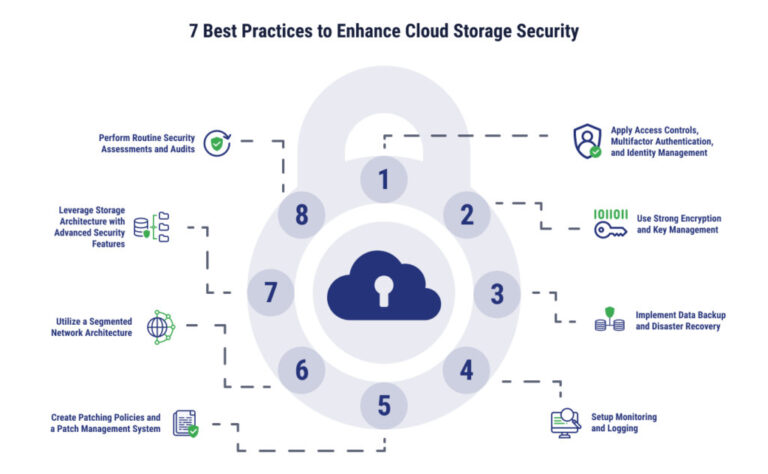
The HIPAA Security Rule organizes its requirements into three buckets. Administrative safeguards are the policies and procedures. Physical safeguards cover the building and devices. Technical safeguards are the software and configuration controls. Small practices sometimes focus only on the technical side and forget the other two, but all three must work together.
Administrative Safeguards: The Paper Trail That Protects You
This is where you document your security decisions. You need a formal risk assessment. It sounds intimidating, but it boils down to listing every place patient data lives, every threat that could hit it, and every gap in your current protections. You can do this with a spreadsheet. The law expects you to update it periodically, not once and forget.
You also need a sanctions policy. If an employee violates a security rule, even accidentally, there should be a clear consequence. This policy protects you from being seen as negligent. And you need a contingency plan. If your office burns down or a ransomware attack wipes your server, how do you get patient data back? Document where backups live, how often they run, and who is responsible for restoring them.
Physical Safeguards: The Locked Door Nobody Thinks About
A stolen laptop with unencrypted patient files is a HIPAA breach waiting to happen. Physical safeguards mean controlling who can walk up to a computer, who can enter the server closet, and how you dispose of old hard drives. A small practice might have the receptionist desk in an open area. If a visitor can see the screen while checking in, that is a potential violation. Screen privacy filters are cheap and solve this.
Workstation policies should specify that computers lock automatically after a few minutes of inactivity. Any device that leaves the office, like a tablet used for home visits, needs encryption. And when you retire an old desktop, simply deleting files is not enough. You must either physically destroy the drive or use certified data wiping software.
Technical Safeguards: The Digital Defenses
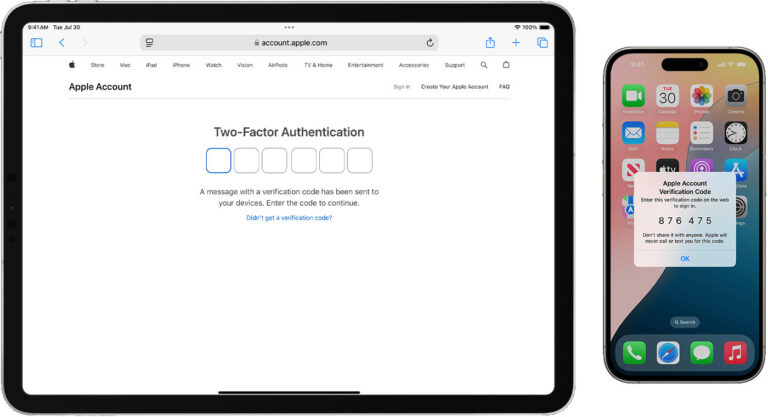
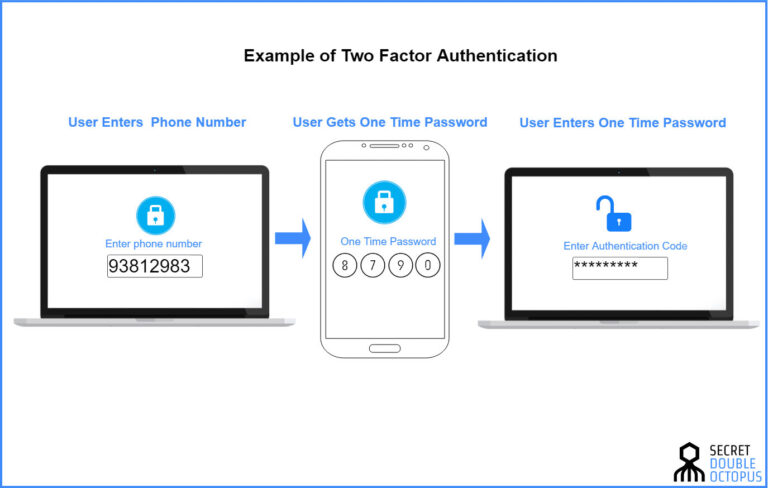
This is where most small practices start, and it is important, but it only works if the other two categories support it. The Security Rule requires access controls. Every staff member should have their own unique login, not a shared account. Passwords should be strong, and multi-factor authentication should be turned on wherever possible, especially for email and cloud patient portals.
Audit controls are another requirement. You need to know who accessed which patient record and when. Most electronic health record systems log this automatically, but you must check that the feature is turned on and review the logs occasionally. Integrity controls ensure patient data is not altered improperly. Encryption protects data both at rest on hard drives and in transit over the internet. Finally, transmission security means you cannot email patient data without encrypting it or using a secure patient portal.
The Encryption Rule That Trips Up So Many Practices
Encryption is the big one. HIPAA does not technically mandate encryption. It calls it an “addressable” implementation specification. That word confuses people. Addressable does not mean optional. It means you must implement encryption unless you document a valid reason not to and implement an equivalent alternative. For a small practice, there is almost no valid reason to avoid encryption today. The tools are built into operating systems and email services.
If a laptop with unencrypted patient data is stolen, you have a reportable breach. If the same laptop is encrypted, the theft is a property loss but not a HIPAA incident. That distinction alone saves you from notification costs, reputational damage, and potential fines. Encrypt your hard drives. Encrypt your backups. Encrypt your emails when they contain patient information. It is the single most impactful technical safeguard you can implement.
Breach Notification: What Happens When Things Go Wrong
Despite your best efforts, a breach might happen. A laptop gets stolen. An employee sends a billing spreadsheet to the wrong email address. A ransomware attack locks your files. HIPAA has a specific notification process, and ignoring it makes a bad situation far worse.
If the breach affects fewer than five hundred individuals, you must notify the affected patients within sixty days of discovery. You also log the breach and report it to the Department of Health and Human Services at the end of the year. If it affects more than five hundred, you notify patients, HHS immediately, and local media. The clock starts ticking when you discover the breach, not when it happened. A delay in investigation or an attempt to hide the incident is how small practices end up with massive fines on top of the attack damage.
The Risk Assessment You Can Actually Complete
The thought of a formal risk assessment stops many practice owners cold. They imagine a three-hundred-page document and a five-figure consultant bill. The reality is simpler. Walk through your office and list every piece of technology that touches patient data. The EHR system, the billing software, the email inbox, the cloud backup service, the receptionist computer, the doctor’s tablet.
For each one, ask three questions. What threats could cause a data loss or exposure? What safeguards already exist? What gaps remain? A stolen laptop threat is mitigated if the drive is encrypted. A phishing email threat is mitigated if you have email filtering and staff training. A fire or flood threat is mitigated if backups are stored offsite. Write your answers down. Date the document. Update it once a year or when you add new technology. That is your risk assessment. It does not need to be perfect. It needs to exist and be honest.

Employee Training That Actually Sticks
The best technical safeguards crumble when a well-meaning employee clicks a phishing link. HIPAA requires security awareness training. For a small practice, this can be a thirty-minute conversation every few months, not a week-long course. The key is relevance.
Show your staff a real phishing email that hit a nearby practice. Walk through the signs. Hover over links to show where they really lead. Explain why sharing passwords is dangerous, even with the nurse covering a shift. Talk about the rules for texting patient information. Many staff members do not realize that a casual text about a patient’s lab results, sent without encryption, can be a HIPAA violation. Keep the tone supportive, not punitive. You want them to report mistakes immediately, not hide them out of fear.
Business Associate Agreements: The Paper You Cannot Skip
Your small practice does not operate alone. You use an electronic health record vendor. A billing service. Maybe a cloud storage provider for backups. Under HIPAA, these are business associates. You must have a signed business associate agreement with each one. This contract states they will protect patient data and notify you if they suffer a breach.
Many small practices assume the vendor handles this automatically. Some do. Many do not. If you use a free consumer cloud storage account to store patient records, you likely lack a BAA and are violating HIPAA. Check your contracts. If a vendor refuses to sign a BAA, do not store patient data with them. The liability falls on you, not the vendor, if something goes wrong.
Common Shortcuts That Get Small Practices in Trouble
Time and money are tight. That leads to shortcuts. Sharing a single login for the EHR because creating individual accounts is inconvenient. Disabling the automatic screen lock because the doctor complains about re-entering a password. Using a personal Gmail account for patient communications because the secure portal feels clunky. Skipping software updates because the computer is old and slow.
Each of these shortcuts violates the spirit, and often the letter, of HIPAA. Regulators do not expect small practices to have military-grade security. They expect good-faith effort. A pattern of willful neglect, on the other hand, leads to fines that can reach tens of thousands of dollars per violation. In 2026, the Office for Civil Rights has made clear that it targets practices that ignore basic safeguards, not those that struggle with technical complexity.
Practical First Steps for the Overwhelmed Practice Owner
If you are just starting, do not try to fix everything at once. Start with the highest-impact items. Encrypt all hard drives and backups. Turn on multi-factor authentication for email and remote access. Ensure every staff member has a unique login. Complete a basic risk assessment and write it down. Verify you have business associate agreements with every vendor that touches patient data. Train your staff on spotting phishing emails and the proper handling of patient information.
These steps do not require a huge budget. Encryption is built into Windows and Mac operating systems. Multi-factor authentication is free for most email platforms. A risk assessment template can be downloaded and adapted in an afternoon. The biggest investment is time and attention, not money.
When It Makes Sense to Bring in Outside Help
Some small practices reach a point where the security burden feels too heavy. A practice with multiple locations, a high volume of patient records, or specialized equipment may benefit from a managed security service provider that understands healthcare. They can run vulnerability scans, monitor your network for intrusions, and handle incident response.
If you go this route, the provider is also a business associate and must sign a BAA. Vet them carefully. Ask if they have experience with HIPAA compliance specifically, not just general small business security. A firm that only handles retail stores may miss the nuances of healthcare data protection. The investment can be a few hundred dollars per month, which is significant, but far less than the cost of a breach and a regulatory fine.
The Changing Landscape in 2026
Regulators are paying closer attention to small practices. The thinking has shifted. A decade ago, a tiny office might fly under the radar. Today, automated scanning tools and breach reporting requirements mean every incident gets logged and reviewed. Insurance underwriters also ask detailed questions about HIPAA compliance before issuing cyber policies. A practice that cannot demonstrate basic safeguards may find itself uninsurable.
Telehealth has added new complexity. More patient interactions happen over video calls and messaging platforms. HIPAA applies to these communications just as it does to an in-office visit. Using a consumer video chat tool that lacks a BAA is a risk. The good news is that telehealth vendors have matured, and many offer HIPAA-compliant tiers at reasonable prices. The key is verifying compliance before adopting the tool, not after a complaint.
Conclusion
HIPAA cybersecurity does not demand perfection. It demands diligence. A small healthcare practice can meet the requirements with a combination of basic technical safeguards, written policies, staff training, and honest documentation. Encrypt your data, control access, train your team, and keep a written record of your efforts. The goal is not to build an impenetrable fortress. It is to show, with evidence, that you took reasonable steps to protect the patients who trust you with their most sensitive information. In an era where cyberattacks on healthcare are rising, that effort is both a legal obligation and a moral one. A quiet afternoon spent locking down your systems is an investment in your practice’s future and your patients’ peace of mind.