
How to Stay Compliant When Employees Work Remotely in 2026
The Laptop on the Kitchen Table
You trusted Sarah with your client list, your billing software, and the keys to your social media. She has been with you for four years. She knows the business inside out. Then on a Tuesday, she calls you from her kitchen. Her laptop, the one she uses for work, is acting strange. A pop-up demands payment in Bitcoin. Her son borrowed it last night to download a game mod. Now your customer database might be exposed.
This is the reality of remote work in 2026. The office walls dissolved years ago, and small businesses cheered the flexibility. No rent. No commute. Happy employees. But the compliance side crept up quietly. Regulations that once assumed everyone sat behind a locked door now chase laptops across coffee shops, coworking spaces, and kitchen tables. Staying compliant when your team is scattered is not about installing a single tool. It is about weaving security and privacy into the fabric of how people work from wherever they are.
Why Remote Work Rewrote the Compliance Rulebook
Before 2020, a small business with an office had a clear perimeter. The internet came through a single connection. The server hummed in a closet. If you wanted to protect customer data, you put a firewall at the edge and locked the door. Remote work shattered that model. Now every employee’s home is a branch office. Their router, often a cheap model from the internet provider, becomes part of your network. Their neighbor’s unsecured Wi-Fi is a potential bridge. Their personal tablet, shared with kids, might sync work emails.
Compliance frameworks like HIPAA, GDPR, and the CCPA did not pause for this shift. Regulators expect the same level of protection whether your employee sits in a downtown high-rise or a cabin in the woods. The difference is that in the office, you could control the environment. You could install the firewall. You could check that the door locked. With remote workers, you rely on their judgment, their home setup, and the policies you never quite got around to writing down.
The Big Three Regulations and Their Remote Work Blind Spots
Different laws have different triggers, but they all intersect when employees work outside a controlled office. A small business needs to understand the remote-specific vulnerabilities of each framework it falls under.
HIPAA: Protecting Health Data When the Office Is Everywhere
If you run a healthcare practice, a billing service, or any business associate handling protected health information, HIPAA follows the data, not the location. A therapist conducting telehealth sessions from home must ensure the video platform is HIPAA-compliant. A billing clerk accessing patient records from a laptop in a coffee shop exposes PHI to shoulder surfers and unsecured networks.
The Security Rule requires administrative, physical, and technical safeguards. Physical safeguards become tricky when you cannot control the physical space. A requirement to limit access to workstations morphs into a rule that employees must lock their screens, use privacy filters, and never leave devices unattended in public. Technical safeguards like encryption become non-negotiable because the data travels across home networks and public Wi-Fi. The risk assessment you did for your office network means nothing for a remote workforce unless you update it to include home environments.
GDPR: The Long Arm of European Privacy in a Distributed World
If you handle personal data of EU residents, GDPR applies regardless of where your employees sit. A remote worker in Ohio accessing customer data from Germany is still processing data under the regulation. The accountability principle demands that you document how data is protected at every access point. A home office with a shared printer that caches documents on an unsecured drive is a breach waiting to happen.
GDPR also requires data minimization and purpose limitation. Remote work can blur these lines. An employee saves client files to their personal desktop for convenience. They forward work emails to a personal account to print something. These small acts, multiplied across a team, create a patchwork of data exposure that violates the regulation’s core principles. The supervisory authority will not accept “but they were working from home” as a defense.
CCPA and State Privacy Laws: The Employee Data Shift
The CCPA now covers employee data in 2026. That means your remote employees’ personal information, from their home addresses to their bank details for payroll, falls under privacy obligations. If an HR manager accesses those records from an unsecured home network, and a breach occurs, the business faces the same liability as if it happened in the office.
State privacy laws are multiplying. Connecticut, Colorado, Virginia, and others have their own rules. They share common threads: transparency, consumer rights, and reasonable security. Remote work challenges the reasonable security standard because the attack surface is larger. Every home router, every public Wi-Fi login, every borrowed device is a new risk that a compliance auditor might question.
The Device Problem Nobody Wants to Talk About
Small businesses love the bring-your-own-device model because it saves money. Employees use their personal laptops and phones for work. It feels modern and flexible. It also creates a compliance nightmare. A personal laptop runs games, file-sharing software, and browser extensions that could introduce malware. It lacks the endpoint security controls you would install on a company-owned machine. It may not even have a password.
When an employee leaves, their personal device still holds cached company data. You cannot remotely wipe it without risking their personal files. And if that device is lost or stolen, you have no way to confirm whether the data was encrypted. Many regulations require that you maintain control over the devices that access sensitive data. BYOD makes that control nearly impossible unless you wrap the work apps in a secure container that you can manage separately.
Building a Remote Work Policy That Actually Protects You
A policy document that nobody reads is worse than no policy because it creates a false sense of security. A compliance-worthy remote work policy must be clear, specific, and tied to real behaviors.
Define Where Work Happens
Not every remote work setup is equal. An employee with a dedicated home office and a company-provided laptop poses less risk than one working from a shared apartment with roommates streaming video all day. Your policy should set expectations. Work with sensitive data must happen in a private space where screens are not visible to others. Public Wi-Fi without a VPN is off-limits for accessing company systems. These rules sound basic, but stating them explicitly removes ambiguity and gives you a reference point if something goes wrong.
Mandate Strong Authentication
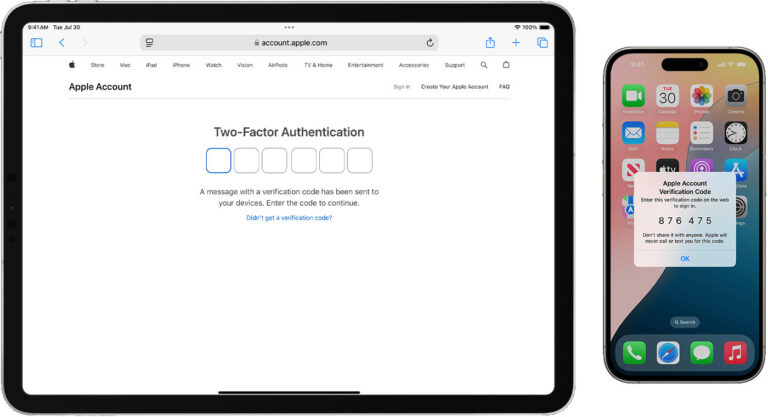
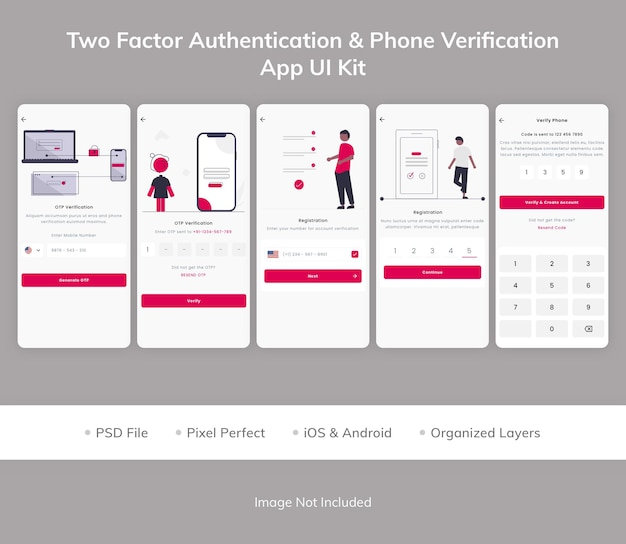
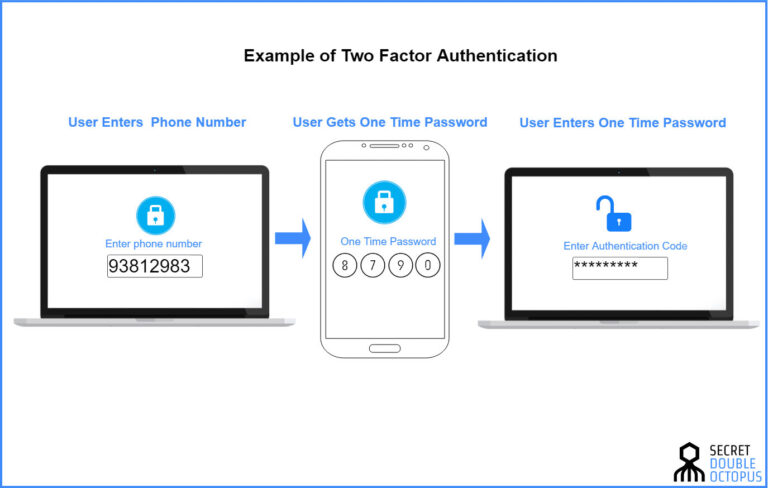
Passwords alone are not enough. Multi-factor authentication must be turned on for every system that supports it, starting with email, cloud storage, and any platform holding customer data. For a remote team, this single step blocks the vast majority of credential-based attacks. If an employee’s password leaks on the dark web, the attacker still cannot get in without the second factor.
Encrypt Everything, Everywhere
Full-disk encryption on laptops prevents data exposure from lost or stolen devices. Encryption in transit, via VPN or secure protocols, protects data moving across home networks and public Wi-Fi. Your policy should require both. Many small businesses enable encryption but never verify that it stays active. A quarterly check, even a simple one, confirms that the protections are still in place.
Control Access With the Least Privilege Principle
Not everyone needs access to everything. The receptionist does not need the financial server. The freelance designer does not need the client contact database. Remote work multiplies the impact of a compromised account because the attacker can move laterally if permissions are too broad. Limit access to the minimum necessary for each role. Review those permissions every few months. When someone leaves, revoke access immediately, not after a week of forgotten tasks.
Separate Work and Personal Use
The cleanest approach is a company-provided device managed with endpoint security software. If budget forces BYOD, require a separate user profile for work or use app containers that isolate business data. The employee’s personal apps, games, and browsing should not intersect with company information. This separation protects both the business and the employee’s privacy.
The Training Gap That Keeps Biting Small Teams
You can buy all the tools and write all the policies, but if your employees do not understand why they matter, compliance will slip. Remote workers operate in isolation. They do not overhear conversations about security. They do not see you locking a file cabinet. The social cues that reinforce good habits in an office vanish.
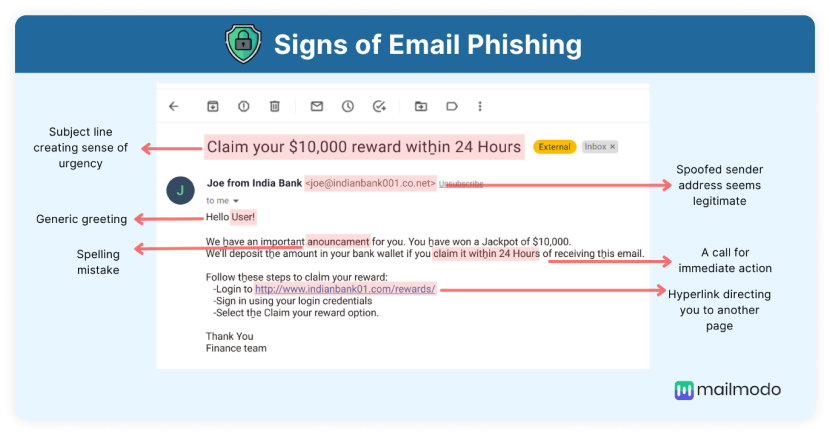
Training for a remote team must be more deliberate. A short, monthly micro-training works better than an annual two-hour slog. Focus on one topic at a time. One month, cover phishing emails that target remote workers with fake IT support messages. Another month, walk through the proper way to share files with external clients. Use real examples from your own business. Show them an actual phishing email that targeted your company. Make it personal.
Empower them to report mistakes without fear. When someone clicks a suspicious link and immediately alerts you, thank them publicly. The culture of hiding errors out of shame is what turns a minor incident into a compliance disaster. Remote workers already feel disconnected. If they fear punishment for honest slip-ups, they will stay silent, and the breach will fester.
The Monitoring Tightrope: Security vs. Trust
Remote work monitoring tools have exploded. You can track keystrokes, take periodic screenshots, log every website visited, and even monitor idle time. From a compliance perspective, some monitoring helps detect unusual access patterns, like a login from a new country at 3 a.m. That kind of alert is a security signal worth having.
But invasive monitoring erodes trust. It also creates its own compliance risks. Recording keystrokes might capture passwords or personal messages that you have no legal right to store. GDPR and some state laws restrict employee monitoring without clear notice and a legitimate purpose. If you monitor, be transparent. Tell your team what you track, why you track it, and how the data is protected. Give them a channel to ask questions. The goal is safety, not surveillance. A team that understands the purpose will accept reasonable monitoring far more than one that discovers it accidentally.
The Home Network Blind Spot
Your office network had a business-grade firewall, segmented Wi-Fi for guests, and maybe intrusion detection. Your employees’ home networks have none of that. The average home router ships with default passwords and outdated firmware. Smart TVs, gaming consoles, and cheap IoT devices sit on the same network as the work laptop. If a compromised baby monitor gives an attacker a foothold, they can pivot to the work device.
Small businesses cannot replace every employee’s home router. But you can provide a travel router pre-configured with a VPN tunnel to your business network, or you can subsidize a mesh system with security features. You can also require that employees separate work devices onto a guest network at home, isolating them from the chaos of family devices. These steps are affordable and dramatically reduce the risk of a home network compromise spilling into your business systems.
Data Residency and the Cloud Storage Puzzle
Remote workers save files everywhere. The company Dropbox, their personal Google Drive, the Downloads folder on their desktop, the email attachment they never filed. Data sprawl is a compliance headache. Regulations like GDPR care about where data physically resides. If your cloud storage replicates data across servers in multiple countries, you might be inadvertently transferring personal data outside an approved jurisdiction.
Pick one or two sanctioned cloud storage platforms for the business. Lock them down with access controls and audit logging. Instruct employees never to save work files locally unless they are synced and backed up. And do a quarterly data cleanup. Find the old spreadsheets, the exported customer lists, the temp files that accumulated. Deleting what you no longer need reduces your compliance burden instantly.
Handling a Security Incident When Everyone Is Dispersed
An office breach is chaotic. A remote breach is disorienting. You cannot walk over to the affected employee and look at their screen. You cannot pull the network cable. Your incident response plan must account for distance.
Define a communication channel that works even if email is compromised. A group chat on a separate platform, a phone tree, a backup messaging app. When a remote employee suspects an incident, they need to know exactly whom to contact and how. The first instruction should be to disconnect from the internet, not to send an email about it. Then your IT person or external support can guide them through containment steps.
Remote forensics relies on endpoint detection tools that record what happened before the disconnect. If you have those, the investigation can proceed smoothly. If you do not, the incident becomes a guessing game. Invest in endpoint detection and response software that supports remote investigation. The cost is modest compared to the alternative.
The Paper Trail That Saves You
Compliance is not about never having a problem. It is about demonstrating that you took reasonable steps. Documentation is your evidence. Keep a log of your remote work policies and the dates you updated them. Record the training sessions you conduct, even if they are fifteen-minute video calls. Note the devices your employees use, whether they are company-owned or personal, and what security software they run.
If a regulator or an insurance adjuster asks how you protect remote workers, you can point to the log. It shows a pattern of attention, not a one-time effort. Small businesses often skip documentation because it feels like bureaucracy. But when an incident occurs, the absence of records is what transforms a manageable mistake into a negligence finding.
The Quiet Reward of Getting It Right
There is a silver lining to remote work compliance that few small businesses talk about. When you lock down remote access, encrypt data, train your team, and document your efforts, you build a security culture that outlasts any single tool or regulation. Customers notice. They ask about your data practices before signing a contract, and you have a clear answer. Insurers offer better terms. Employees feel safer knowing you invested in protecting their work and their personal information.
Remote work is not going away. The businesses that thrive in 2026 are the ones that treat compliance not as a burden but as a foundation. It is the difference between hoping nothing goes wrong and knowing you can handle it if it does. The laptop on the kitchen table will always be vulnerable. But the layers of protection around it, from encryption to training to a clear incident response plan, turn vulnerability into resilience.
Conclusion
Staying compliant with a remote workforce in 2026 demands a shift in mindset. The office perimeter is gone. The new perimeter is each employee, each device, each home network. Small businesses can meet this challenge by writing clear, honest policies, enforcing multi-factor authentication and encryption, training their teams with empathy, and keeping the documentation that proves their diligence. Regulations like HIPAA, GDPR, and the CCPA do not expect perfection. They expect reasonable, ongoing effort. When you build remote work practices around that principle, you protect your data, your customers, and your business from the quiet risks that multiply whenever a laptop leaves the office. The goal is not a fortress. It is a trusted, distributed team that knows how to handle information with care, no matter where they sit.