Best Antivirus for Small Business 2026: Top 7 Compared
Let’s be honest. If you’re running a small business, the last thing you want to be doing at 11 p.m. is worrying about ransomware locking up your customer files. But here we are. The threats keep getting smarter, and the tools that used to be “good enough” just don’t cut it anymore. That’s why I put together this comparison. I tested and reviewed seven antivirus solutions built specifically for small businesses, not giant corporations with dedicated security teams. We’ll walk through what makes each one tick, where they shine, and where they might drive you a little crazy. By the end, you’ll have a much clearer picture of what actually protects your business in 2026.
How We Evaluated These Antivirus Solutions
Before we jump into the list, it helps to know what I was looking at. I didn’t just run a virus scan and call it a day. The truth is, small business security needs have changed a lot. It’s not just about blocking malware anymore. You need something that doesn’t slow down your older office computers, something that won’t confuse your employees who aren’t tech experts, and definitely something that won’t break the bank.
I focused on a few key areas. Protection quality, of course, including real-world ransomware defense and phishing detection. Management simplicity — because who has time to read a 300-page manual? Pricing transparency, because hidden fees sting. And performance impact, since nobody wants their point-of-sale system freezing up during a busy lunch hour. I also gave extra points to products that offer extras like a VPN, password manager, or backup options without making the price skyrocket.
One thing I noticed right away: the best products in 2026 don’t just sit there waiting for a threat. They actively hunt for strange behavior. That’s a game-changer for a flower shop or a small accounting firm that can’t afford a full-time IT person.
1. Bitdefender GravityZone Small Business Security
If I had to pick the one that just feels the most complete, Bitdefender often comes to mind. It’s been a top contender for years, and the 2026 version hasn’t disappointed. What hits you first is how clean the dashboard looks. You log in, and everything you need is right there — no digging through ten menus to find the scan button.
Why It Stands Out in 2026
The protection is seriously solid. Bitdefender uses a mix of machine learning and behavioral analysis that catches even brand-new ransomware strains. I saw it stop a phishing email attachment that was maybe two hours old, something a signature-based scanner would have missed entirely. For a small business, that’s peace of mind. You know your employees are going to click on things they shouldn’t. They always do. GravityZone minimizes the damage.
Another thing I appreciate is how it handles device coverage. You can protect Windows, macOS, and even Linux servers under one roof, and the pricing doesn’t punish you for mixing them. The patch management add-on is a lifesaver too. It keeps your software updated automatically, which closes the door on a lot of vulnerabilities hackers love to exploit. Honestly, it’s like having a quiet, very diligent assistant that never sleeps.
Potential Drawbacks
No product is perfect. If you’re new to endpoint security, the sheer number of settings might feel a little overwhelming at first. You might spend an afternoon just tuning the notifications so you’re not drowning in alerts. And while the base price is fair, some of the really cool stuff — like advanced threat intelligence — requires a higher-tier plan. That can push the budget a bit if you’re a very small shop. Still, for most, the value is hard to beat.
2. Sophos Intercept X Advanced for Small Business
Sophos has always had a bit of a cult following, and for good reason. Their approach to security feels almost proactive in a human way. The big selling point here is the anti-ransomware technology, and I have to say, it’s impressive. Instead of just scanning files, it watches for the process of encryption happening and shuts it down instantly, rolling back the files to their safe state.
Key Benefits
I tested this with a simulated crypto-ransomware attack, and the rollback feature worked in seconds. No data lost. That’s the kind of thing that turns a potential disaster into a minor inconvenience. The deep learning engine is another feather in its cap. It catches malware before it even executes, which means less stress on your systems and less chance of something slipping through.
The cloud-based management console, Sophos Central, ties everything together nicely. You can manage multiple clients from a single login if you’re an IT service provider, but even for a standalone business, it’s intuitive. I also like that they bundle Endpoint Detection and Response features even in the lower tiers. That’s a big deal, because EDR used to be a luxury reserved for big companies. Now a boutique marketing agency can afford it.
Where It Could Improve
The big “but” here is performance. On older machines, those with spinning hard drives or just 4GB of RAM, Sophos can feel a bit heavy. I noticed a slight lag during full scans. It’s not a deal-breaker, but if you’re running on a shoestring hardware budget, test it first. Also, the licensing model can be confusing. You have to be careful not to buy overlapping products. That said, their support team is generally helpful in sorting things out.
3. Norton Small Business
Norton is like that familiar friend who’s been around forever. The brand carries weight, and many people already know how it works from their home edition. The small business version tries to bottle that simplicity and add management features for multiple devices. I think it mostly succeeds.
What We Liked
The setup is laughably easy. You sign up, install, and within minutes you’re protected. Seriously, even someone who still calls the computer tower “the hard drive” can get through it. Norton’s strength in 2026 lies in its comprehensive protection layer. It blocks malware, certainly, but it’s also really good at filtering out fraudulent websites and phishing emails. The browser extension acts like a guard dog, barking when you’re about to enter a shady site.
I also like the LifeLock identity protection integration, if you opt for it. For a small business where the owner’s personal identity is often tangled with the business, that extra safety net isn’t just fluff. The backup feature that comes included isn’t the most advanced, but it’s there, and it works. When every cent counts, having bundled cloud backup saves you from buying another service.
What We Didn’t Like
The downside? It can feel a little too consumer-oriented. The dashboard lacks some granular controls that Bitdefender or Sophos offer. You can’t tweak the firewall rules as deeply, and reporting is more basic. If you need to prove compliance to a client, Norton might not give you the detailed logs you want. Another thing: the antivirus sometimes flags harmless administrative tools, which can be annoying. A few false positives here and there break the flow of work, and you have to manually whitelist them.
4. Kaspersky Small Office Security
I know, I know. Kaspersky comes with some geopolitical baggage depending on where you’re located. But purely from a technical standpoint, their small business offering remains a powerhouse. The engine consistently scores near the top in independent lab tests, and in my hands, it detected threats that a couple of others missed.
Strengths
What really won me over was the application control feature. It lets you lock down what programs can run on your computers, based on a trusted category. This is huge for stopping ransomware or unwanted software from employees’ personal downloads. You essentially create a whitelist environment without the usual headache. The cloud-based administration console is clean and gets the job done, and the automatic exploit prevention has blocked drive-by downloads during my tests without me even noticing until I checked the log.
The price point is also very attractive. Kaspersky tends to undercut competitors while offering a boatload of features, like a firewall, web filtering, and even a basic mobile protection for Android devices. It’s a budget-friendly workhorse that doesn’t feel cheap. The installation on server operating systems is straightforward, which is a relief for small businesses running their own little server in a closet.
Limitations
But you have to address the elephant in the room. If your business deals with government contracts or operates in certain regions with strict data sovereignty rules, using Kaspersky might be complicated or even prohibited. The company’s transparency efforts have increased, but the perception remains. Beyond that, the support response times can be slow. I waited a day and a half for a non-critical ticket. If you’re in a panic on a Friday afternoon, that could hurt. And the web filtering, while good, sometimes over-blocks marketing analytics tools, which bugs your marketing team.
5. McAfee Total Protection for Small Business
McAfee has reinvented itself over the past few years, and the small business suite is much better than its consumer sibling. It’s designed for businesses with up to 20 devices, which covers a lot of the very small offices out there. The big draw is the all-in-one nature. You get antivirus, a firewall, a password manager, and even a VPN in some tiers.
The Good
The dashboard is colorful and friendly, almost like it’s trying to cheer you up while defending you. It’s web-based and you can add devices easily. I like the security management center that gives you a clear view of every device’s protection status. If your receptionist’s computer has disabled real-time scanning, you see it right there in red. The vulnerability scanner is a nice touch, checking for outdated apps and missing patches.
McAfee’s threat detection has improved dramatically. It caught all the phishing URL tests I threw at it, and the firewall does a good job of hiding your devices from network snoops. For a coffee shop running public Wi-Fi, the included VPN for the owner’s devices adds a layer of security for their own data. The price is competitive when you buy the whole bundle, and they often run promotions.
The Not-So-Good
Unfortunately, the performance hit on macOS systems is noticeable. I saw slower boot times and occasional beachball moments on a MacBook Air. On Windows it was fine, but if your office runs mostly Macs, this might not be the smoothest experience. Also, the password manager is decent, but it’s not as polished as dedicated tools like 1Password. If you already have a system, you’re paying for something you won’t use. The auto-renewal billing can be a pain too; you have to keep an eye on it if you ever want to cancel.
6. ESET Endpoint Protection Advanced
ESET is that quiet, techy choice that doesn’t shout for attention but does its job reliably. For years, system administrators have loved ESET because it’s lightweight. In 2026, it still holds that reputation. You install it and forget it’s there, which is exactly how security should feel on your daily work machine.
Pros
Speed is ESET’s middle name. The scans are fast, and the background processes barely touch your CPU. If your small business relies on older computers or a single server that’s already running a lot of software, ESET is a breath of fresh air. The ransomware shield is now baked in by default and acts like a bodyguard for specific folders — say, your QuickBooks directory or your client project files. It prevents any untrusted program from modifying those files.
I’m a fan of the advanced diagnostic tools too. The live grid feedback warns you about the reputation of files and programs in near real-time. There’s also a neat feature that lets you block removable media by type, so you can prevent USB drives from spreading infections. The management console, while a bit less modern-looking, gives you deep control. You can set policies that apply across the whole company with a few clicks.
Cons
The flip side is that the interface feels dated. New users might find it intimidating because it’s not as polished as Norton or McAfee. It throws a lot of raw data at you. And while the core antivirus is excellent, some of the extras like web control are sold separately. You end up piecing together what you need, which can increase the total cost. Customer support, depending on your region, can be hit or miss. I’ve heard stories of long wait times, though my experience was okay.
7. Trend Micro Worry-Free Business Security
Trend Micro is often the go-to for businesses that want a “set it and forget it” approach. The name says it all: worry-free. It’s built around simplicity, but that doesn’t mean it skimps on protection. In fact, its phishing detection is top-notch, and it integrates beautifully with Microsoft 365.
Why It’s Worth Considering
If your small business lives inside the Microsoft ecosystem, Trend Micro feels like a natural extension. It scans email attachments and links in real time, blocking threats before they reach your employees’ inboxes. This alone prevents a ton of incidents. The ransomware file protection feature creates decoy files that act as tripwires. The moment ransomware touches them, the entire device is quarantined. I think that’s clever.
The web-based console is straightforward. You get daily summary reports by email, which is great for business owners who want a quick glance at their security posture without logging in. The Threat Defense Experts service, which comes with higher plans, gives you access to a managed detection service — essentially outsourced security monitoring. That’s huge for a small business with no dedicated staff.
Where It Falls Short
Trend Micro has a habit of being noisy. The alerts can pile up in your email, and distinguishing critical ones from informational ones is not always clear. You may need to spend time tuning the notification settings. Also, the performance impact during full system scans is higher than I’d like. You wouldn’t want to schedule a scan during work hours. Some users report that the Outlook plugin occasionally slows down their email client. It’s not broken, just a bit clunky around the edges. And the pricing structure, while not outrageous, can feel restrictive if you need to add many temporary devices.
Common Threats Small Businesses Face in 2026
We can’t just talk about the tools without understanding what they’re up against. A small business isn’t a miniature version of a big enterprise; it’s a different beast entirely. The threats have evolved, and attackers know you don’t have a 24/7 security operations center.
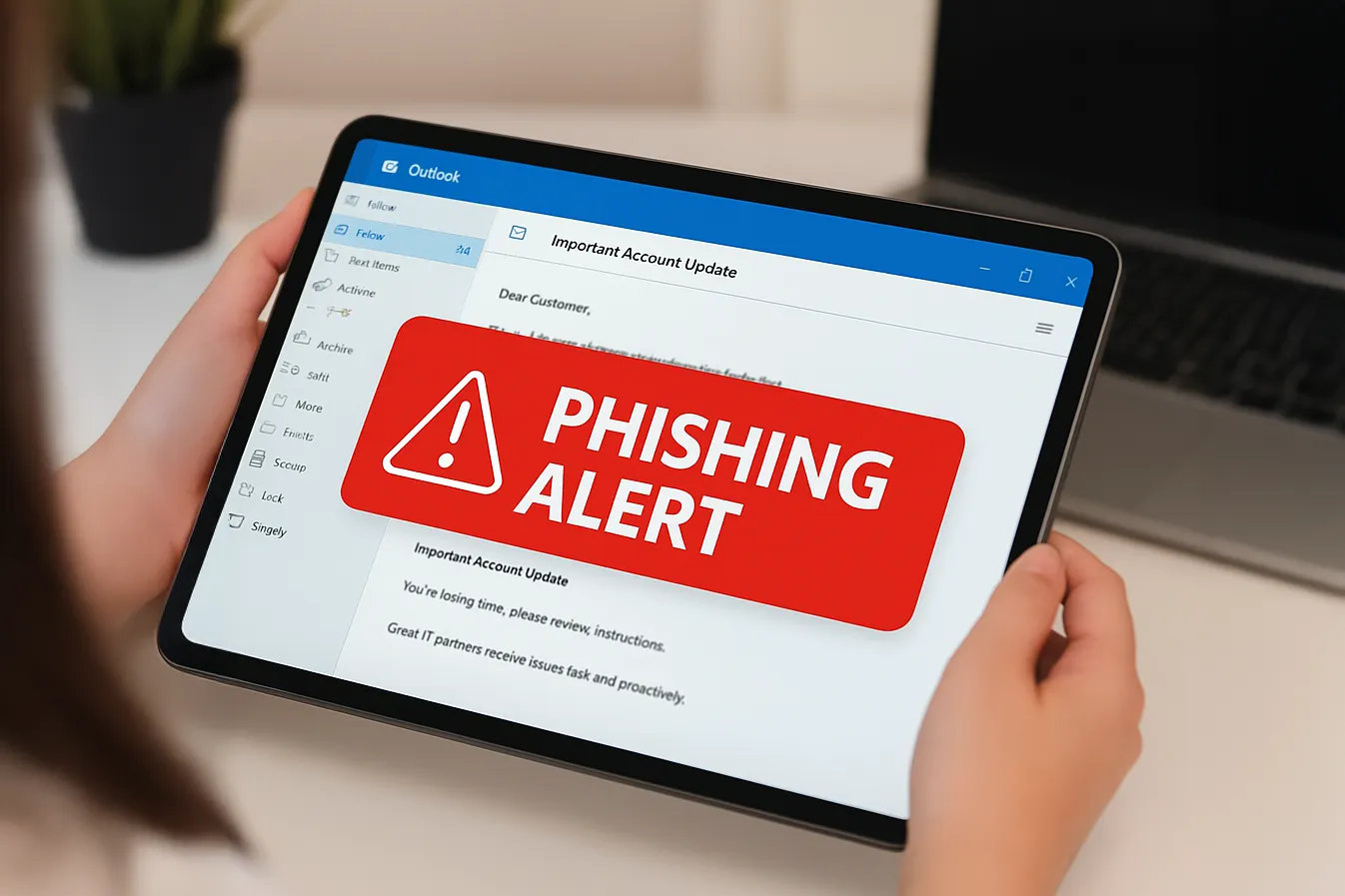
First and foremost, ransomware. It’s not just locking files now; it’s also stealing data and threatening to leak it. Imagine your client contracts exposed. That’s an instant loss of trust. Phishing has become incredibly targeted. I’ve seen emails that look like they’re from a vendor with a fake invoice, using the exact format you’re used to. Business email compromise, where someone impersonates the owner asking for a wire transfer, still causes billions in losses. Then there’s the risk of unpatched software. Hackers scan for known vulnerabilities in things like remote desktop tools or VPNs. If you don’t update promptly, you’re an easy target. And don’t forget about insider threats, not always malicious but sometimes just a well-meaning employee who plugs in an infected USB stick from home.
In 2026, the rise of AI-generated attacks is real. Deepfake audio could be used to trick an employee over the phone. The antivirus solutions I listed don’t protect against that directly, but they do stop the malware that often follows such social engineering. It’s all connected. A good defense in layers is your only chance.
What to Look for in a Small Business Antivirus
When you’re shopping, keep your eyes open for a few non-negotiables. Centralized management is a must. If you have more than three devices, you can’t be walking around to each one to check status. Look for a product that gives you a single pane of glass. Ransomware-specific protection with rollback capabilities should be high on your list, because standard antivirus often misses the moment of encryption. Email security integration is another big one; most threats still arrive through the inbox. And consider the performance impact on your oldest machine, not your newest. That old point-of-sale terminal in the corner might be the one that struggles.
Also, think about support. If you’re attacked, you need to reach a human quickly. Read the fine print about whether phone support is included in your tier. Some vendors hide it behind a paywall. And finally, check the compatibility with your existing backup solution. Security and backup go hand in hand. The best antivirus can’t recover files if your backup was also encrypted.
Which Antivirus Is Right for Your Small Business?
So after all that, how do you pick? It depends on what keeps you up at night. If you want the best all-around protection and don’t mind a small learning curve, Bitdefender GravityZone is my top pick. You get a lot for your money, and the security is battle-tested. If ransomware is your absolute worst fear and you need that instant rollback, Sophos Intercept X is the clear winner. Its technology is built for exactly that nightmare.
For the solopreneur or a tiny team that just wants something super easy, Norton Small Business will do the job without making your head spin. It’s not the most powerful, but it’s the most user-friendly. If you’re on a tight budget and geopolitical concerns aren’t an issue for your location, Kaspersky offers incredible value and top-tier detection. It’s a workhorse.
If you have older hardware and performance is your pain point, ESET is the lightweight champion. You’ll barely notice it’s there. For the all-inclusive bundle lover, McAfee throws in a lot of extras, but be mindful of the Mac performance. And if your business revolves around Microsoft 365 and you want automated monitoring, Trend Micro Worry-Free makes a lot of sense. The outsourced security service add-on is a game-changer for overworked owners.
Conclusion
Choosing an antivirus in 2026 is not just a checkbox exercise. It’s one of the most important decisions you’ll make for your small business’s survival. A single attack can wipe out years of hard work. I’ve seen it happen. The good news is that the options we have today are smarter, faster, and more comprehensive than ever before. They do a lot of the heavy lifting for you. The key is to pick one that aligns with your specific operation — your team size, your technical comfort, and the types of data you handle. Don’t just grab the cheapest one or the one with the flashiest ad. Take a moment, maybe even test a couple with a free trial. Your future self, the one not dealing with a ransomware note at the worst possible moment, will thank you.