
What Is Malware and Which Types Target Small Businesses Most
Malware is short for malicious software. It is any program or code designed to harm, exploit, or otherwise mess with your devices, your data, or your network. The term covers a huge family of digital threats. Viruses, worms, trojans, ransomware, spyware. They all fall under the malware umbrella. The one thing they share is bad intent. Some malware wants to steal your money directly. Some wants to lock up your files and demand a ransom. Some just wants to sit quietly on your system, harvesting passwords and credit card numbers for months without you ever noticing. Small businesses are getting hammered by these threats, and the reason is simple. Attackers see you as a softer target with enough money to be worth the effort. I want to walk you through exactly what malware is, how it gets into your systems, and the specific types that are causing the most damage to small businesses right now.
The Basic Mechanics of a Malware Infection
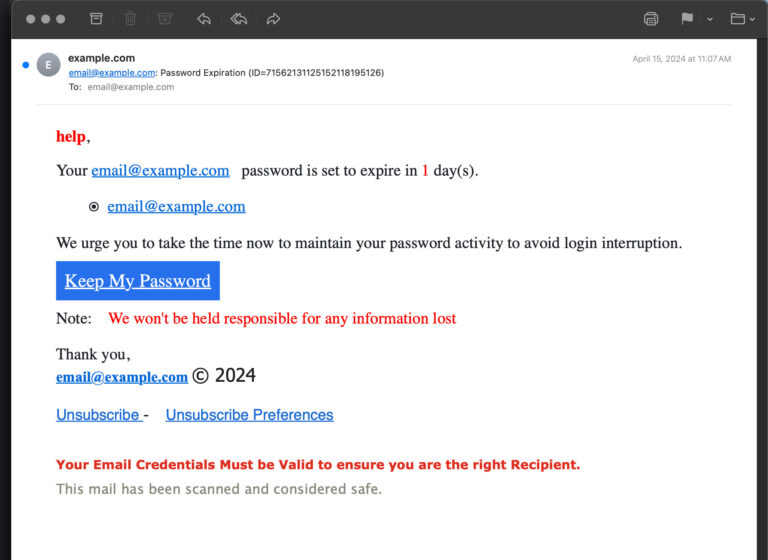
Before we dive into the different flavors of malware, it helps to understand how an infection actually happens. Malware needs a way in. That entry point is usually a human action. Someone clicks a link in a phishing email. Someone downloads a free tool from a sketchy website. Someone plugs in a USB drive they found in the parking lot. The malware hitches a ride on that action and executes silently in the background. Within seconds, it can establish a foothold, hide itself from basic detection, and start its real work.
Once inside, the malware often tries to spread. It might scan the network for other vulnerable devices. It might harvest credentials and use them to log into cloud services. It might email copies of itself to everyone in your contact list. The speed of this lateral movement can be shocking. A single click by a tired employee at four in the afternoon can lead to your entire server being encrypted by six. The cleanup takes weeks and costs a fortune. Understanding this chain of events helps you appreciate why prevention, rather than cure, is where your energy should go.
The Silent vs. Loud Divide
Some malware wants your attention. Ransomware announces itself with a splash screen and a countdown timer. Other malware works in absolute silence. Spyware, keyloggers, and information stealers can live on your network for months, quietly siphoning data. You might not realize anything is wrong until your bank calls about a suspicious wire, or a client reports identity theft traced back to your database. The silent types are often more damaging in the long run because the exposure window is so wide. A quiet thief can empty the vault one coin at a time while you are busy running your business.
Why Malware Authors Target Small Businesses
You would think the big payouts come from hitting a multinational corporation. Sometimes they do, but those targets have massive security teams and a legal armada that makes prosecution a real threat. Small businesses rarely have either. You probably do not have a security operations center. You might not even have a dedicated IT person. That makes you an attractive target for automated malware campaigns that just blanket the internet looking for vulnerable systems. These campaigns do not care who you are. They care that your software is out of date and your backups are untested.
Beyond the automated scans, some attackers deliberately target small businesses because of the data you hold. Customer payment information, employee records, intellectual property. You also have access to your larger partners through vendor portals and trusted email relationships. Your small accounting firm might be the perfect entry point into a much bigger client. This supply chain angle makes you valuable even if your own bank balance does not have a lot of extra zeros. The malware author sees you as a stepping stone, a key that unlocks a bigger door.
Ransomware: The King of Small Business Threats
If malware had a most wanted list, ransomware would be at the top. This type of malware encrypts your files and demands payment for the decryption key. The ransom note usually arrives as a text file on your desktop or a pop-up window that is impossible to close. It gives you a cryptocurrency wallet address and a deadline. Pay within three days, or the price doubles. Pay within a week, or your files get permanently destroyed. Some ransomware gangs now also steal your data before encrypting it and threaten to leak it online if you do not pay. This double extortion tactic has made ransomware even more devastating.
Small businesses are prime targets for ransomware because you cannot afford prolonged downtime. A retailer locked out of their point-of-sale system during the holiday season is losing money by the hour. A manufacturer whose production systems are frozen is bleeding cash in idle workers and missed shipments. The ransom amount is often calculated to be just below the cost of extended downtime. Attackers do their research. They look at your revenue, your insurance coverage, and your industry before naming their price. The decision to pay is agonizing, and even paying offers no guarantee that you will get your files back or that the attackers will not hit you again.
How Ransomware Typically Arrives
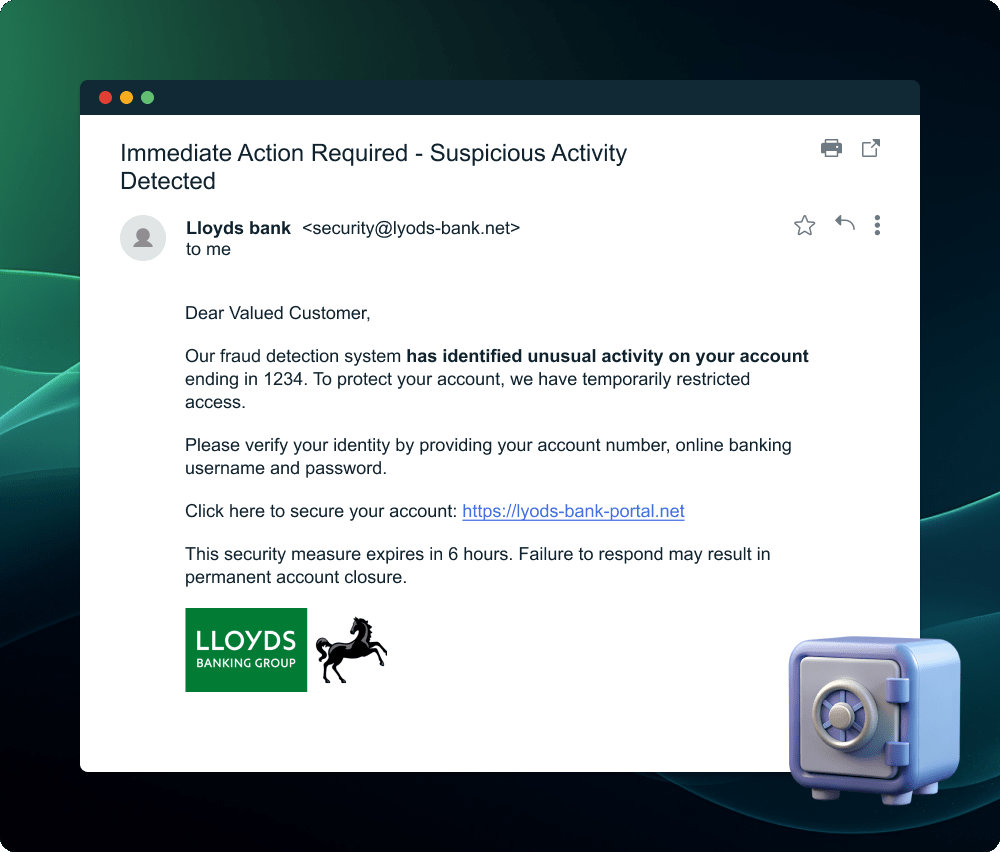
Phishing emails with malicious attachments are the classic delivery method. The attachment might look like an invoice, a resume, or a shipping confirmation. When opened, it launches a script that downloads the ransomware payload. Another common path is through exposed remote desktop connections. If you have a server or a computer accessible over the internet with a weak password, attackers can brute-force their way in and manually deploy the ransomware. Unpatched software vulnerabilities are a third major door. When you delay updates, you leave known holes open for exploit kits that automatically plant ransomware on vulnerable systems.
Information Stealers: The Quiet Collectors
While ransomware grabs headlines, information stealers do arguably more damage over the long term. These are stealthy programs designed to collect passwords, browser histories, autofill data, cryptocurrency wallets, and session cookies. All the digital keys to your online life. Once stolen, this information is packaged up and sold on dark web marketplaces to the highest bidder. The buyer might use your credentials directly to drain your accounts or might launch further attacks against your business and your clients. The theft happens silently. Your computer runs normally. You might never know it happened until the consequences land weeks or months later.
Information stealers often spread through cracked software downloads, fake browser updates, or malicious advertisements on legitimate websites. A small business employee looking for a free PDF editor might download a file that looks useful but also installs a stealer in the background. The stealer executes once, grabs everything it can, sends the data home, and then often deletes itself to cover its tracks. This smash-and-grab approach makes it hard to detect after the fact. The damage is done before you even suspect a problem.
The Long Tail of Stolen Credentials
A stolen email password does not just compromise one account. It can be used to reset passwords for your banking, your cloud storage, and your social media. It gives the attacker access to your email history, which contains a goldmine of information about your business relationships and ongoing deals. The attacker can then impersonate you to send fraudulent invoices to your clients. The money flows into their pockets, and the first clue you get is an angry client asking why you are demanding payment twice. Cleaning up the reputational mess from stolen credentials takes far longer than changing a password.
Banking Trojans: Going Straight for the Money
Banking trojans are a specialized type of malware that targets financial accounts directly. They watch your browser for visits to banking websites. When they detect you logging in, they can inject fake fields to capture additional information like your social security number or your mother’s maiden name. Some can even modify the displayed account balances so you do not notice the fraudulent transfer happening right in front of your eyes. The attacker initiates a wire to an overseas account, and the trojan alters what you see on the screen to hide the transaction.
Small businesses are particularly vulnerable to banking trojans because they often process larger transactions than individual consumers. A single compromised business account can yield a five or six-figure payday. The trojan usually arrives via an infected email attachment or a malicious link that looks like a standard business document. Once installed, it stays dormant until you browse to a targeted bank domain. This trigger-based activation helps it avoid detection by generic antivirus scans that are looking for constant malicious behavior.
The Man-in-the-Browser Technique
The most advanced banking trojans use a technique called man-in-the-browser. This means the malware operates entirely within your web browser, intercepting and modifying data between you and the bank’s website. You see a page that looks completely legitimate. The green padlock icon is there. The URL is correct. But behind the scenes, the trojan is altering the payment details you enter. You think you are paying a vendor five thousand dollars, but the trojan changes the recipient account number to one controlled by the attacker. You confirm the payment on your security token, seeing your intended details, while the bank receives entirely different ones. This attack defeats many forms of two-factor authentication because you are essentially approving a transaction you cannot see.
Remote Access Trojans: Giving Away the Keys
A remote access trojan, or RAT, does exactly what the name suggests. It gives an attacker remote control over your infected computer. They can browse your files, turn on your webcam, log your keystrokes, and install additional malware. It is like inviting a burglar into your house and giving them a spare set of keys to every room. RATs are often used in targeted attacks against specific businesses where the attacker wants persistent, long-term access. They might use the RAT to study your operations, learn your billing processes, and time a fraudulent wire transfer for maximum impact.
RATs commonly arrive disguised as legitimate software. A free accounting tool, a PDF converter, even a fake version of a popular video conferencing app. An employee downloads the tool thinking they are solving a problem, and instead they open a permanent backdoor into your network. The RAT phones home to a command-and-control server, registering the new victim and waiting for instructions. The attacker can then access the infected machine at any time, from anywhere in the world, until someone discovers and removes the malware.
Botnets: When Your Computer Becomes a Soldier
Not all malware is after your data. Some malware just wants your computer’s processing power and internet connection. A botnet infection turns your device into a zombie that the attacker can command remotely. Your computer becomes part of a massive army of infected machines that can be used to send spam, launch denial-of-service attacks against websites, or mine cryptocurrency. You might notice your computer running slowly, your electricity bill creeping up, or your internet connection dragging for no apparent reason. What you probably will not notice is that your IP address is being used for illegal activities.
For a small business, being part of a botnet carries several risks. Your internet service provider might flag your connection for suspicious activity and shut you down. Your IP address could end up on blocklists, preventing your legitimate emails from reaching clients. And if law enforcement traces an attack back to your device, you could find yourself in an extremely uncomfortable conversation, even though you are a victim too. Botnet malware often spreads through infected websites that exploit browser vulnerabilities, known as drive-by downloads. You visit a compromised site, and your computer gets recruited without a single click.
Spyware and Adware: The Lesser Evil That Still Hurts
Spyware monitors your activity and reports back to the attacker. It can track the websites you visit, the searches you run, and the documents you open. Adware is its annoying cousin that floods your screen with pop-up advertisements and redirects your browser to shady websites. Neither of these is as catastrophic as ransomware, but they still cause real harm. Spyware can leak trade secrets and client negotiation strategies. Adware can lead employees to malicious sites where they pick up something much worse. Both slow down your systems, frustrate your team, and create a constant low-level security drain.
Spyware often comes bundled with free software. That handy browser toolbar, the desktop weather widget, the coupon finder extension. These things look harmless and sometimes even deliver the promised functionality. But in the background, they are watching. They collect data about your business habits and sell it to data brokers or use it to target you with more sophisticated scams. A small business with spyware is bleeding information without even knowing the wound exists. Removing it sometimes requires a full system wipe because spyware is notoriously stubborn about staying hidden.
Fileless Malware: The Ghost in the Machine
Traditional malware installs files on your hard drive. Antivirus software scans those files and flags the bad ones. Fileless malware bypasses this entire model. It operates entirely in your computer’s memory, using legitimate system tools like PowerShell and Windows Management Instrumentation. Because there is no file to scan, traditional antivirus often misses it completely. Fileless malware attacks have been rising steadily, and they are particularly dangerous because they leave so little forensic evidence behind.
A typical fileless attack starts with a phishing link that executes a script in memory. That script reaches out to a command server and loads additional malicious code directly into RAM. The code then does its dirty work, maybe stealing credentials or moving laterally across the network. When the computer reboots, the malware disappears from memory, but the attacker has already achieved their goal. Small businesses are especially vulnerable to fileless attacks because they often lack the advanced endpoint detection tools that can spot this kind of in-memory misbehavior. The attack is fast, quiet, and highly effective.
Supply Chain Malware: Poisoning the Well
You trust your software vendors. That trust is exactly what supply chain attackers exploit. Instead of targeting your business directly, they compromise a tool or service you already use. A software update that contains hidden malware. A cloud service whose code gets injected with a backdoor. A hardware device that ships with a pre-installed infection. When you install the update or connect the device, you unknowingly invite the attacker inside. These attacks are devastating because they bypass all your perimeter defenses. The malicious code arrives through a trusted channel.
The scale of supply chain attacks can be enormous. One poisoned software update can hit thousands of small businesses at once. Each victim thinks they are just running a routine maintenance task. The attacker gains access to all of them simultaneously. For small businesses, the risk is compounded because you rarely have the resources to audit every piece of software you use. You rely on your vendors to be secure, and when they are not, you pay the price. Vetting your vendors, asking about their security practices, and having contingency plans for when a critical tool gets compromised are essential habits in this environment.
Conclusion
Malware is not some abstract threat that only matters to tech companies. It is a daily reality for small businesses, delivered through emails, downloads, and sometimes the very software you trust to run your operations. Ransomware locks up your files and demands money. Information stealers swipe your passwords and sell them in underground markets. Banking trojans manipulate what you see on your screen to drain your accounts. Remote access trojans hand the keys to your digital kingdom to a stranger. Botnets turn your computers into unwitting soldiers. Each type of malware has a different goal, but they all share a common entry point. A moment of distraction, a piece of unpatched software, or a culture that does not prioritize verification.
The defense is not impossibly complex. Keep your systems updated. Back up your data to an offline or cloud location that malware cannot touch. Use strong, unique passwords and multi-factor authentication everywhere. Train your team to pause before clicking links or opening attachments. Deploy reputable endpoint protection that can catch known and unknown threats. These fundamentals will not stop a nation-state attacker, but they will block the overwhelming majority of malware campaigns that target small businesses. You do not need to be a cybersecurity expert. You need to be a business owner who takes the threat seriously and builds simple, consistent habits that keep the bad software out. Your business is worth that effort.