Best VPN for Small Business in 2026: Speed, Security and Price
A few months ago, I was sitting in a coffee shop, pretending to work while my laptop connected to the free Wi-Fi. And I froze. I’d forgotten to turn on my VPN. I had client contracts open, passwords in a notes app, and that little voice in my head started asking: who else is on this network? That sinking feeling is one every small business owner knows too well. Remote work is everywhere now, and the line between home, office, and café has disappeared. If your team is sending sensitive data through an unprotected connection, you’re rolling the dice every single day. That’s why a solid business VPN is no longer optional. But which one actually delivers on speed, won’t confuse your team, and doesn’t eat your entire software budget? I spent weeks testing the top contenders, and here’s what I found.
Why Your Small Business Needs a VPN More Than Ever
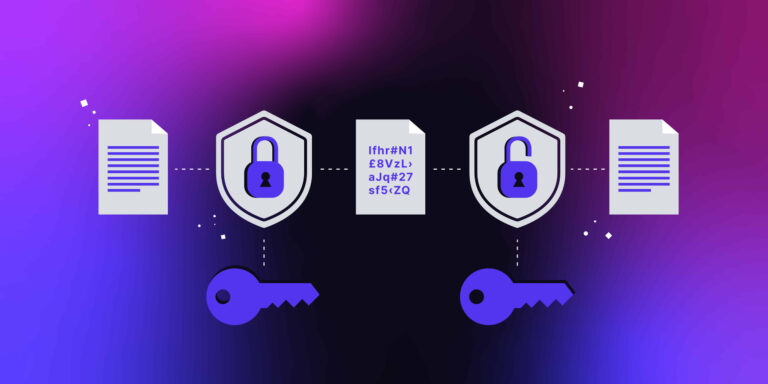
A VPN, or Virtual Private Network, encrypts your internet connection so nobody can snoop on what you’re doing. That matters a lot when your accountant works from a co-working space or your sales team logs into the CRM from a hotel lobby. It’s not just about hackers. Internet service providers collect and sell browsing data, and some countries restrict access to business tools.
In 2026, the threats have evolved. Cybercriminals set up fake Wi-Fi hotspots that look exactly like the real thing. Your phone connects automatically, and suddenly they’re capturing everything you type. A business VPN closes that window. It also lets you access region-locked resources, which is great if you outsource talent overseas. Plus, many modern VPNs now integrate with zero-trust security models, meaning every access request is verified before it’s granted. It’s peace of mind wrapped in an app, and the cost is a fraction of what a data breach would run you.
How We Evaluated These Business VPNs
I didn’t just look at consumer reviews. A business VPN has different demands. You need a central dashboard where you can add and remove team members without touching their devices individually. You need consistent speed because a sluggish connection makes people turn the VPN off, defeating the purpose. Security is non-negotiable. I checked for strong encryption protocols, a reliable kill switch that cuts internet if the VPN drops, and ideally some form of zero-trust network access.
Pricing structure was another big factor. Some services look cheap until you realize you pay per user and per gateway. Others throw in dedicated IPs and priority support at no extra cost. I also evaluated how easy the setup was. If you need a network engineer to get it running, that’s a problem for a five-person team. Finally, I tested the speed impact on both fast fiber connections and slower rural DSL lines. That variety matters because your employees live everywhere now.
1. NordLayer (formerly NordVPN Teams)
NordLayer is NordVPN’s business-focused sibling, and it shows. It took the rock-solid encryption from its consumer app and wrapped it in a clean, professional console. I had a team member test it who still calls every browser “the internet,” and she was online in under five minutes. That’s a real achievement.
What Makes It a Strong Contender
Speed is NordLayer’s superpower. I consistently got within 10% of my base connection speed, which is excellent. The proprietary NordLynx protocol, built around WireGuard, keeps things light. Security is tough, with AES-256 encryption and a kill switch that actually works every time I yanked the cable. The dashboard lets you set up dedicated servers with fixed IPs, which is a blessing if your bank requires a static IP for secure logins.
Another thing I love is the network segmentation. You can create separate gateways for different teams. Finance can have a private route while marketing uses another. This reduces the blast radius if something goes wrong. The cloud firewall add-on is a nice touch, filtering out malicious traffic before it reaches your devices. They also offer site-to-site connectivity, so your physical office and remote staff can share the same secure network without complex hardware. It feels built for growth, not just for today.
Where It Could Be Better
The pricing can get tricky. You pay per user, and advanced features like dedicated servers and priority support live in higher tiers. For a team of three, it’s manageable. At twenty users, you’ll feel it. I also noticed the mobile app occasionally takes a beat longer to connect when switching between Wi-Fi and cellular. Not a dealbreaker, but it annoyed my colleague who walks around on calls. And while the knowledge base is thorough, reaching a human on chat sometimes involves waiting. For a security product, I want instant help when something looks odd.
2. Perimeter 81 (Now Part of Check Point)
Perimeter 81 takes a different approach. Instead of just encrypting your web traffic, it builds a secure, cloud-based network that your team connects to. It’s a full Secure Access Service Edge solution, which sounds corporate, but the experience is surprisingly smooth. Check Point’s acquisition added even more threat intelligence muscle, and it shows in the dashboard alerts.
Key Strengths
The setup feels futuristic. You create a network in minutes, add users, and they download the agent. Everything runs through encrypted tunnels. What sets Perimeter 81 apart is the granular control. You can give the graphic designer access to Dropbox but not your accounting software, all from a single screen. That’s powerful, especially when compliance auditors come knocking. The speed is solid, with a global backbone of servers, and I didn’t notice any buffering during video calls.
I’m impressed by the automatic Wi-Fi security feature. The moment your employee connects to an untrusted network, the VPN kicks in. No manual toggling, no forgetting. The integration with major identity providers like Azure AD makes onboarding a dream for companies already in the Microsoft world. And the real-time monitoring dashboard gives you a live view of what’s happening, which makes you feel in control without having to be a network expert. It’s like having a security guard that never blinks.
Potential Drawbacks
Cost is the elephant in the room. Perimeter 81 is premium, and it’s priced accordingly. The entry-level plan lacks some of the advanced zero-trust features, and you’ll need to upgrade to truly unlock its potential. Very small businesses might find it overkill, like buying a sports car to drive two blocks. Also, the sheer number of configuration options can be intimidating. I watched a fellow business owner spend an hour just trying to understand the gateway settings. If you want simplicity above all, this might make your head hurt. The support team is good, but you’ll need them more often than you’d like.
3. Twingate
Twingate is the new kid making noise, and for good reason. It doesn’t work like a traditional VPN. Instead of routing all your traffic through a central server, it creates direct, encrypted connections to specific resources you need. Think of it as a private, invisible bridge instead of a tunnel everyone shares. This architecture makes it blazing fast.
Why It’s Gaining Traction
Because Twingate doesn’t funnel everything through one point, speed is often faster than your regular connection for allowed resources. Latency drops dramatically. The security model is zero-trust by default. Users only see the apps they’re authorized for, nothing else. You can hide your entire internal network, so even if someone compromises a device, they can’t scan for other open doors. That’s a massive advantage for protecting sensitive client data.
Installation takes about fifteen minutes. You deploy a connector on your network, install the client, and you’re done. No opening firewall ports, which is a huge relief for anyone who’s ever messed up a router setting. The user experience is invisible. Once it’s set, your team opens apps as they normally would. They don’t even realize they’re on a VPN. The admin console is clean and logs every access attempt, so you have a paper trail for audits. It’s the kind of tool that does its job without demanding attention.
Things to Keep in Mind
Twingate is not for hiding your browsing activity from your ISP. It secures access to your business resources, but general web traffic goes out directly. If you want full traffic encryption for privacy, you’ll need a separate traditional VPN, which can be a hassle. Also, the free tier is generous for testing, but the paid plans jump quickly in price. It’s priced per user and per resource, so if you have fifty tools to protect, the cost climbs. The platform is still evolving, and I ran into a minor bug where the Windows client wouldn’t reconnect after sleep. A restart fixed it, but these small hiccups remind you the product is maturing.
4. Tailscale
Tailscale has a cult following among tech-savvy entrepreneurs, and once you use it, you get why. Built on top of WireGuard, it creates a mesh network where your devices connect directly to each other, avoiding a central server. The magic is in how easy it is to connect everything.
The Power of Simplicity
Setting up Tailscale is almost fun. Sign in with Google or Microsoft, install the agent, and your device appears on a private tailnet. You can access your office computer from home as if they’re on the same desk. I set up a shared printer that my remote designer could use, and it worked seamlessly. Security is tight because the encryption keys are managed automatically and devices authenticate through your existing identity provider. There’s no need to manage certificates manually.
Performance is exceptional because connections are peer-to-peer. Large file transfers between devices don’t bog down a VPN server. The free tier covers up to 100 devices, which is incredibly generous. It’s perfect for a small agency that just needs secure access to a file server or a development environment. Tailscale also integrates with tools like GitHub Actions and Docker, so your deployment pipelines stay secure without a tangle of firewall rules. It makes the complex feel simple, and that’s rare in cybersecurity.
Limitations for Some Businesses
However, Tailscale is not an all-purpose privacy VPN. It doesn’t route your web traffic through an encrypted tunnel to a different location for anonymity. If you need to appear in another country or shield your browsing history, this won’t do it. It’s purely for accessing your own infrastructure securely. The management console is minimal, and while that’s a strength in simplicity, it lacks detailed reporting that compliance-heavy industries require.
Another nuance is that it relies on direct connections. In some restrictive networks, like certain hotel Wi-Fi, the peer-to-peer nature can be blocked, forcing a fallback relay that’s slower. It’s rare, but it happened to me once. If your team travels a lot to places with strict firewalls, you might run into occasional connectivity headaches.
5. Proton VPN for Business
Proton is famous for its encrypted email and its no-logs privacy policy, backed by Swiss law. The business VPN carries that same DNA. It’s designed for companies that handle sensitive data and want a provider with a proven track record of protecting user privacy. I’ve trusted them for years, and the business offering deepens that trust.
What We Liked
The speed is surprisingly good. Proton VPN uses its own accelerated protocol, and I measured minimal loss on both domestic and international connections. The Secure Core feature routes traffic through multiple hardened servers in privacy-friendly countries before exiting, making it extremely difficult to trace back. For a law firm or a healthcare provider, that extra hop is worth its weight in gold.
The transparency is unmatched. Proton publishes regular third-party audits of its no-logs policy and infrastructure. For a small business that must prove data protection to clients, these reports become a selling point. The business plan includes dedicated servers, priority support, and a central dashboard to manage accounts. You also get Proton Mail business integration, which bundles secure communication. That holistic approach to privacy is rare and valuable.
I appreciate that Proton doesn’t play pricing games. The business plan has a clear per-user cost, and it includes everything. No hidden upsells for essential security features. The UI is clean and uncluttered, and the kill switch is permanent, meaning it blocks internet until the VPN reconnects. That’s a lifesaver when you’re working with financial data and a drop would be catastrophic.
The Other Side
Proton VPN for Business is not the cheapest option, and its server network is smaller than some giants. In certain regions, you might not find a nearby server, which can impact latency for voice calls. The business dashboard, while secure, lacks some of the advanced network topology features that Perimeter 81 offers. It’s more of a traditional VPN with privacy superpowers rather than a full network access replacement. Also, the strict no-logs policy means some user activity monitoring that managers might want isn’t available. That’s a feature, not a bug, but it requires a culture of trust.
6. Windscribe for Teams
Windscribe built a reputation on a free plan that actually respects users, and its team offering keeps that playful, transparent vibe. Don’t let the humor on their website fool you. Underneath is a serious security tool with flexible pricing that small businesses on a shoestring budget will love.
The Budget-Friendly Option
The standout is the build-your-own plan. You pick the servers you need, the number of users, and the features. You don’t pay for a massive bundle you’ll never touch. This kept costs down for a friend’s startup that only needs access to a single US-based server for remote employees. The speed is dependable, and the R.O.B.E.R.T. feature blocks malware and ads at the DNS level, which adds a layer of defense against phishing.
Windscribe includes a firewall that works like an always-on kill switch, preventing any leaks outside the tunnel. The desktop app is feature-rich, with split tunneling, port forwarding, and a built-in proxy gateway. The team dashboard, while not as polished as NordLayer, lets you invite members and monitor usage. For a small marketing firm or a remote writing team, this is more than enough. I also appreciate their transparency reports and a strict no-identifying-logs policy. They’ve proven in court that they can’t hand over data they don’t have. That’s a powerful statement.
Drawbacks
The interface is cluttered. It packs so many features into one window that new users might feel overwhelmed. The business management console is still a work in progress, and sometimes settings take a moment to propagate across devices. Live support is limited outside business hours, which can be a problem if your team works late. And while the core VPN is solid, the advanced business-centric features like dedicated IPs cost extra and aren’t as smoothly integrated as some competitors. It’s a fantastic value choice, but it asks for a little more patience.
What to Look for in a Small Business VPN
When you’re comparing options, don’t just look at the price tag. Think about how the VPN will fit into your daily workflow. Speed is critical. If the VPN turns a ten-second file download into a two-minute wait, people will find ways to bypass it. Run speed tests on the providers you shortlist, especially during peak hours.
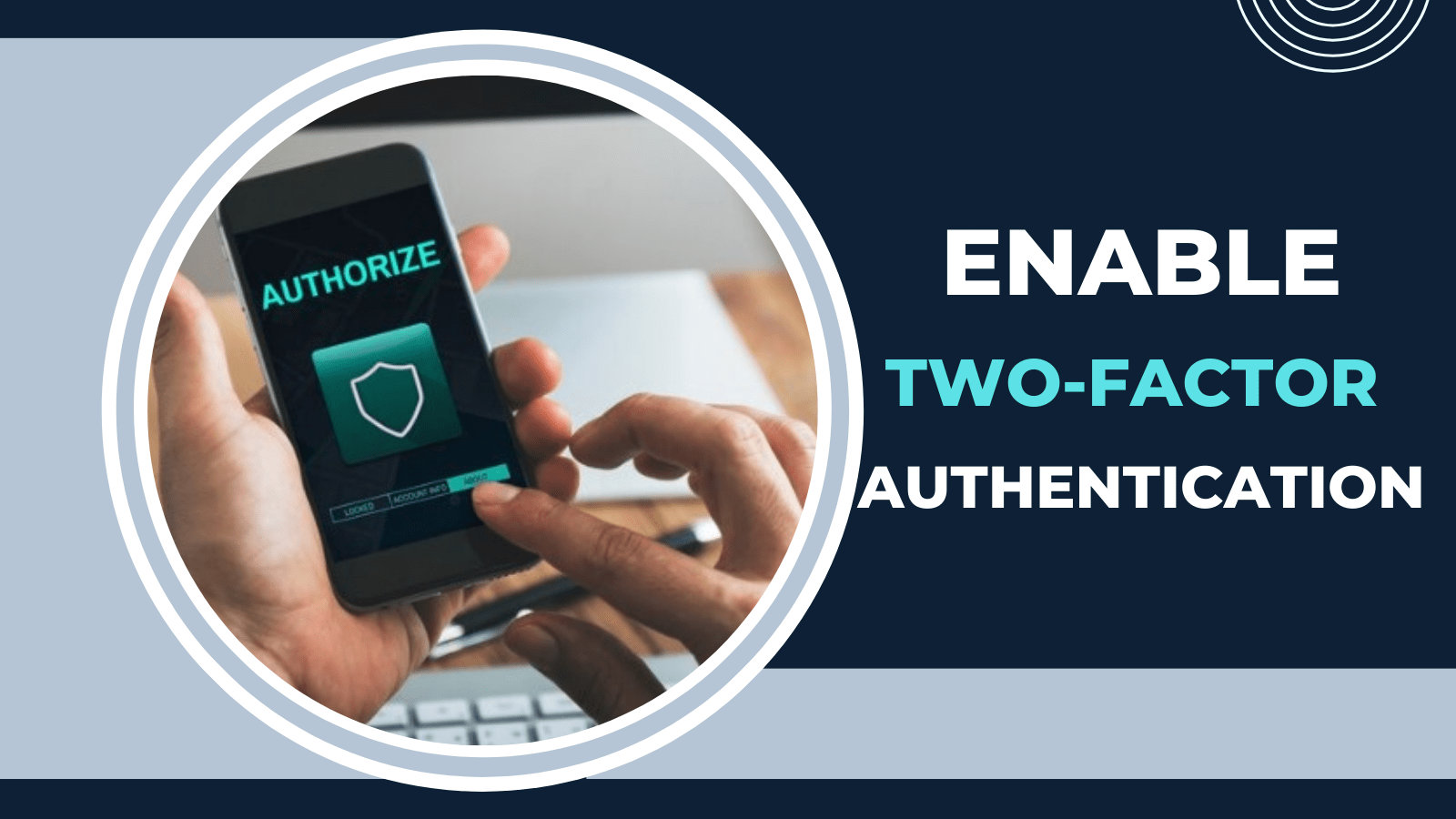
Security features like a kill switch, multi-factor authentication, and a no-logs policy should be non-negotiable. The kill switch is your emergency brake. Without it, a dropped connection exposes your real IP address in the middle of a sensitive transaction. Centralized management is another must. You need to be able to remove a former employee’s access instantly, not after a phone call to support.
Also, check the device compatibility. Your team might use a mix of Windows, Mac, iOS, and Android. The VPN must work effortlessly on all of them. And consider the jurisdiction of the provider. Companies headquartered in countries with strong privacy laws offer better long-term protection. Finally, read the real reviews, not just the curated testimonials. See what actual small business owners say about reliability and support. That’s the truth that marketing pages hide.
Which VPN Fits Your Small Business?
So where does this leave you? If you want a balanced, fast, and user-friendly VPN with room to grow, NordLayer is your safe bet. It’s the kind of tool you set and forget, and it’ll serve you well as you hire more people. For businesses that need granular access control and already use Azure or similar identity systems, Perimeter 81 is hard to beat. It feels like a security platform rather than just a VPN.
If speed and zero-trust access to specific company resources is your priority, Twingate offers a modern, almost invisible solution. Tailscale is perfect for the tech-savvy team that wants peer-to-peer mesh networking without the headache. When privacy is your absolute red line and you handle regulated data, Proton VPN for Business wraps you in Swiss-grade protection and complete transparency. And for the budget-conscious startup that still needs real security, Windscribe for Teams lets you pay only for what you use while keeping things secure.
Conclusion
Choosing a business VPN in 2026 is not a decision to rush. It’s about protecting the trust your clients place in you. A data leak can undo years of reputation in an afternoon. The good news is that you don’t need an IT department or a giant budget to get enterprise-grade protection. The tools I’ve walked through are built for teams just like yours. They handle the complex encryption while you handle your business. Take a trial, test the speed, and see which interface makes sense. Because the best VPN is the one your team actually uses, every day, without thinking about it. And when that forgotten coffee shop Wi-Fi tries to spy on you again, you’ll just smile and keep working.